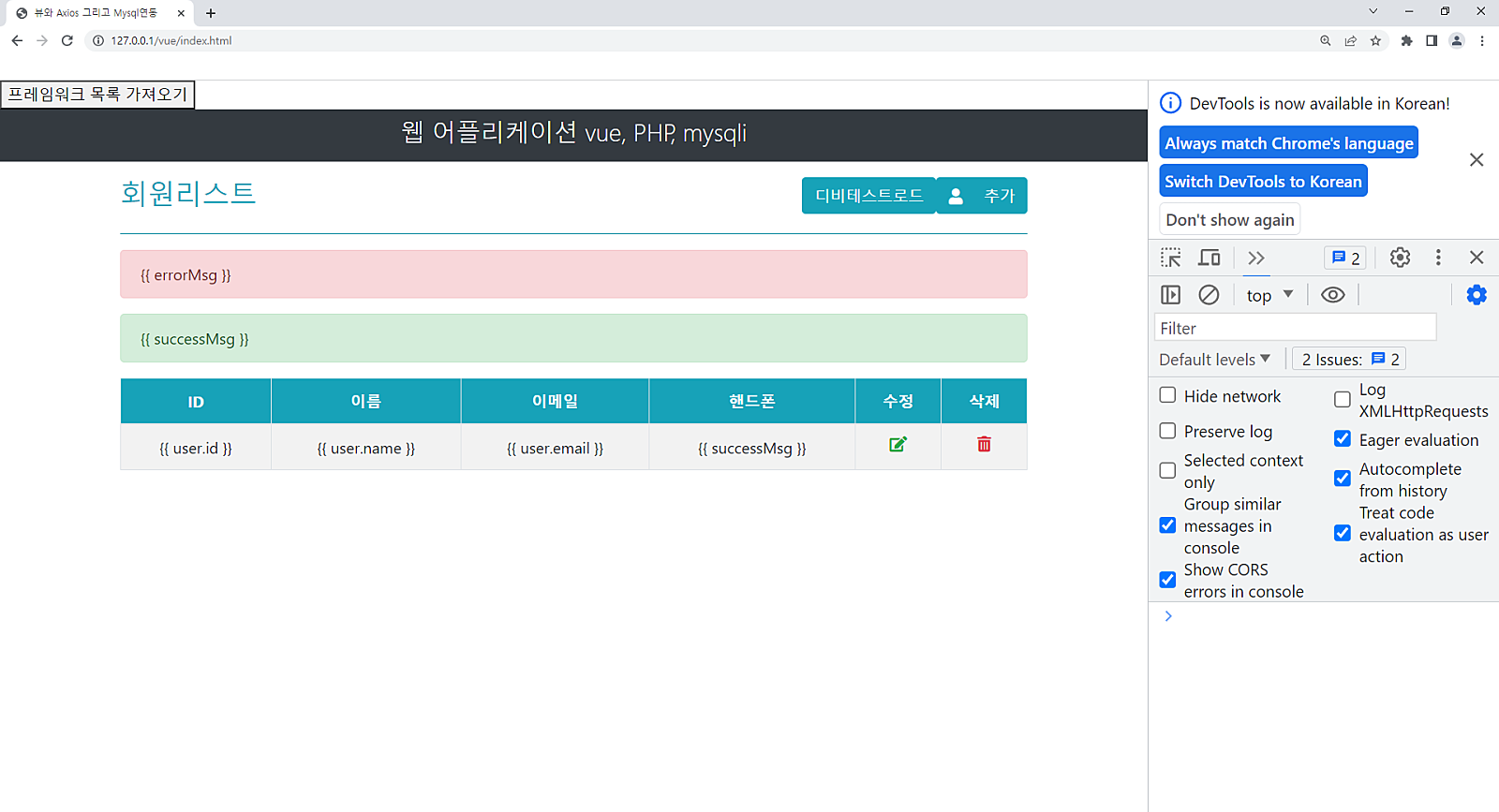
<html>
<head>
<title>뷰와 Axios 그리고 Mysql연동</title>
<!-- CSS only -->
<link rel="stylesheet" href="https://stackpath.bootstrapcdn.com/bootstrap/4.5.2/css/bootstrap.min.css" integrity="sha384-JcKb8q3iqJ61gNV9KGb8thSsNjpSL0n8PARn9HuZOnIxN0hoP+VmmDGMN5t9UJ0Z" crossorigin="anonymous" />
<script src="https://kit.fontawesome.com/42e2ecb8e0.js" crossorigin="anonymous"></script>
<style type="text/css">
#overlay {
position: fixed;
top: 0;
bottom: 0;
left: 0;
right: 0;
background: rgba(0, 0, 0, 0.6);
}
</style>
</head>
<body>
<div id="app">
<button v-on:click="getData">프레임워크 목록 가져오기</button>
<div class="container-fluid">
<div class="row bg-dark">
<div class="col-lg-12">
<p class="text-center text-light display-4 pt-2" style="font-size: 25px">
웹 어플리케이션 vue, PHP, mysqli
</p>
</div>
</div>
</div>
<div class="container">
<div class="row mt-3">
<div class="col-lg-6">
<h3 class="text-info">회원리스트</h3>
</div>
<div class="col-lg-6">
<button class="btn btn-info float-right" >
<i class="fas fa-user"></i> 추가
</button>
<button class="btn btn-info float-right" v-on:click="getAllUsers()">디비테스트로드</button>
</div>
</div>
<hr class="bg-info" />
<div class="alert alert-danger" v-if="errorMsg">{{ errorMsg }}</div>
<div class="alert alert-success" v-if="successMsg">{{ successMsg }} </div>
<!--디스플레이 레코드-->
<div class="row">
<div class="col-lg-12">
<table class="table table-bordered table-striped">
<thead>
<tr class="text-center bg-info text-light">
<th>ID</th>
<th>이름</th>
<th>이메일</th>
<th>핸드폰</th>
<th>수정</th>
<th>삭제</th>
</tr>
</thead>
<tbody>
<tr class="text-center" v-for="user in users">
<td>{{ user.id }}</td>
<td>{{ user.name }}</td>
<td>{{ user.email }}</td>
<td>{{ successMsg }}</td>
<td>
<a href="#" class="text-success" @click="showEditModal=true; selectUser(user);"><i class="fas fa-edit"></i></a>
</td>
<td>
<a href="#" class="text-danger" @click="showDeleteModal=true; selectUser(user);"><i class="fas fa-trash-alt"></i></a>
</td>
</tr>
</tbody>
</table>
</div>
</div>
</div>
</div>
</body>
</html>
'Vue.js' 카테고리의 다른 글
| vue.js mysql 연동하기 3 / DB 테이블연동하기 (php통신) (0) | 2023.06.14 |
|---|---|
| vue.js mysql 연동하기 2 / DB및 테이블 생성하기 (0) | 2023.06.14 |
| Vue.js 06-08 (0) | 2023.06.09 |
| Vue.js 기본 문법 총정리 (0) | 2023.06.08 |
| 06-07 / Vue.js 환경셋팅(VSC) (0) | 2023.06.07 |